Once you have completed a course, CE article, CE podcast, premium content program, or webinar, you will have access to your certificates on your dashboard under the Certificates tab.
How and when your certificate appears depends on the content type:
On-Demand (Non-Interactive) Content: Requires the completion of a short quiz after viewing the content item. Certificates for on-demand content will appear immediately upon passing.
Live Webinars (Interactive CE): Do not require a quiz. Certificates for live webinars will automatically load into your Learner Dashboard within 3 business days of the webinar's conclusion.
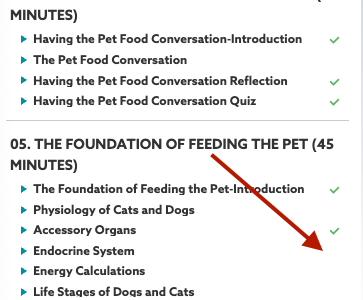
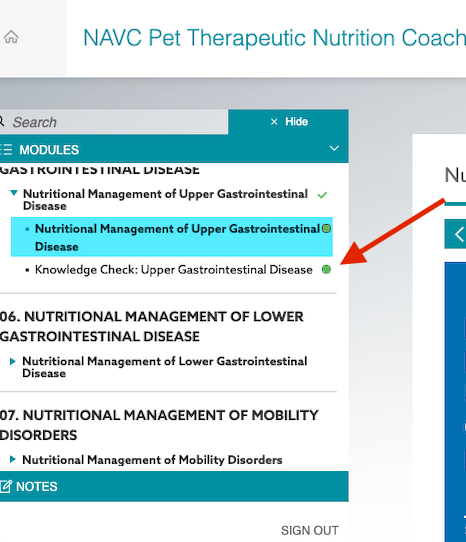
What if my certificate is not listed? If your certificate is not showing up in your Learner Dashboard, you may have skipped some of the required content within your course. Please ensure all modules are checked off or that the progress bubble has been filled in. Once all modules are completed and the exam or quiz has been passed, your certificate will be issued automatically.